What Is a Sitemap in a Website? Complete SEO Guide
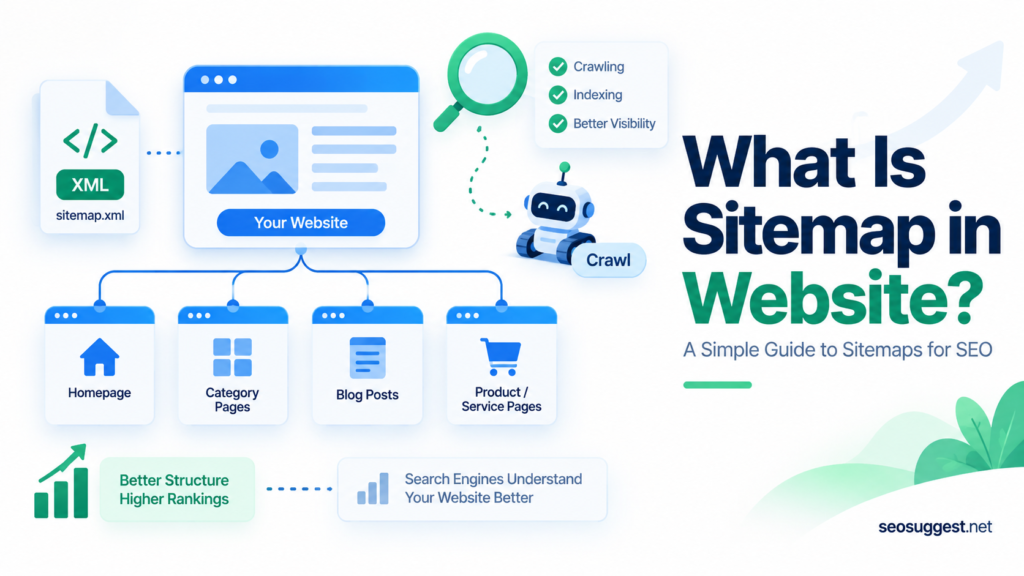
A website can have excellent content, but search engines still need to discover those pages before they can appear in search results. This is where a sitemap becomes useful.
A sitemap is a file that lists important pages and other content on a website so search engines can find and crawl them more efficiently.
According to Google Search Central’s sitemap documentation, a sitemap can provide information about webpages, images, videos, news content, and relationships between different files on a site.
Think of it as a roadmap for search engine crawlers. It does not control rankings, but it helps Google and other search engines understand which URLs you consider important.
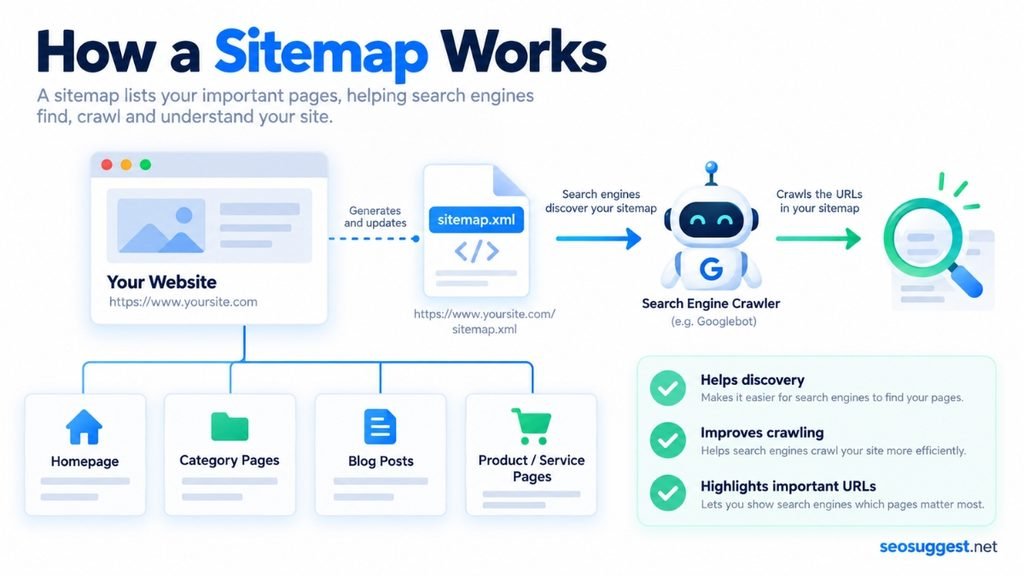
How Does a Sitemap Work?
Search engines normally discover pages by following links.
For example, Googlebot might reach your homepage, follow a link to a category page, and then discover individual articles through links on that category page.
A sitemap provides another path.
Instead of relying only on internal and external links, a crawler can access a sitemap containing URLs such as:
https://example.com/
https://example.com/blog/
https://example.com/contact/
https://example.com/how-to-start-a-blog/
This can be particularly useful when pages are new, buried deep within a website, or not yet receiving many links.
Google says sitemaps can be particularly beneficial for large websites, new sites with few external links, and websites containing significant amounts of image, video, or news content.
What Is an XML Sitemap?
An XML sitemap is the most common sitemap used for SEO.
It is written in XML format and normally exists at an address similar to:
example.com/sitemap.xml
A simplified XML sitemap looks like this:
<?xml version="1.0" encoding="UTF-8"?>

<urlset xmlns="http://www.sitemaps.org/schemas/sitemap/0.9">

<url>
<loc>https://example.com/</loc>
<lastmod>2026-09-20</lastmod>
</url>

</urlset>
The <loc> field contains the page URL.
The optional <lastmod> field tells search engines when the page was significantly updated.
Google says it can use lastmod when the value is consistently accurate. Simply changing this date without making a meaningful page update is not helpful.
XML Sitemap vs HTML Sitemap
XML and HTML sitemaps serve different purposes.
An XML sitemap is primarily designed for search engines. It provides structured information that crawlers can process efficiently.
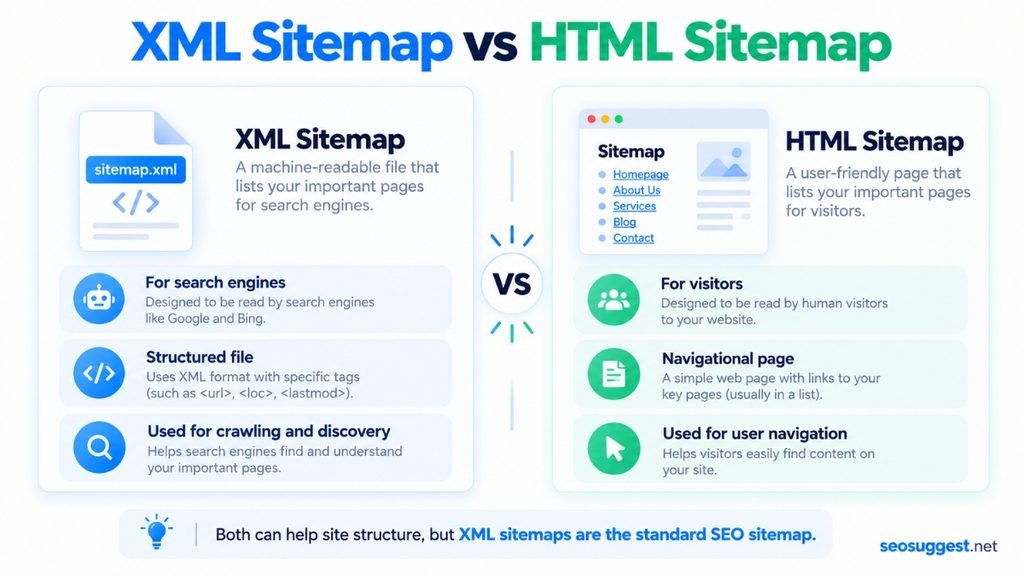
An HTML sitemap is designed mainly for visitors. It is usually a normal webpage containing organized links to important sections of the website.
For technical SEO, XML sitemaps are generally the type site owners submit to search engines.
Why Is a Sitemap Important for SEO?
A sitemap helps with discovery and crawling, but it is important not to confuse that with rankings.
Submitting a sitemap does not automatically make a page rank higher.
Google explicitly states that a sitemap can help it discover URLs but does not guarantee those pages will be crawled or indexed.
Its real SEO value appears when a search engine might otherwise struggle to find certain pages.
For example, a sitemap can help surface:
- Recently published articles
- Deep pages several clicks from the homepage
- Product pages on large ecommerce websites
- Image-heavy pages
- Videos
- News articles
- Pages on new websites with few backlinks
A sitemap therefore supports your technical SEO rather than replacing good content, internal linking, backlinks, or proper website architecture.
How to Create a Sitemap?
Some website platforms automatically create sitemaps.
WordPress, Wix, Blogger, and other content management systems may already provide one.
Google recommends allowing your website software to generate and maintain the sitemap automatically when possible.
However, not every website has a built-in sitemap system. You may also want to generate one manually when auditing a website, working with a custom-built site, or creating specialized sitemap formats.
An easy option is the free XML Sitemap Generator from SEO Suggest.
The tool can crawl a website and generate several sitemap formats, including XML, sitemap indexes, image sitemaps, video sitemaps, Google News sitemaps, TXT files, and HTML sitemaps.
It also includes useful controls such as respecting robots.txt, skipping pages marked noindex, ignoring query strings that can create duplicate URLs, using declared canonical URLs, and excluding specific URL patterns.
You can either let the tool crawl your website or paste a list of URLs directly.
For site owners who do not want to manually write XML code, this provides a much quicker way to create a sitemap that can then be uploaded and submitted to search engines.
What URLs Should Be Included in a Sitemap?
A sitemap should not automatically contain every URL your website can generate.
Generally, it should contain the canonical URLs you want search engines to consider for indexing.
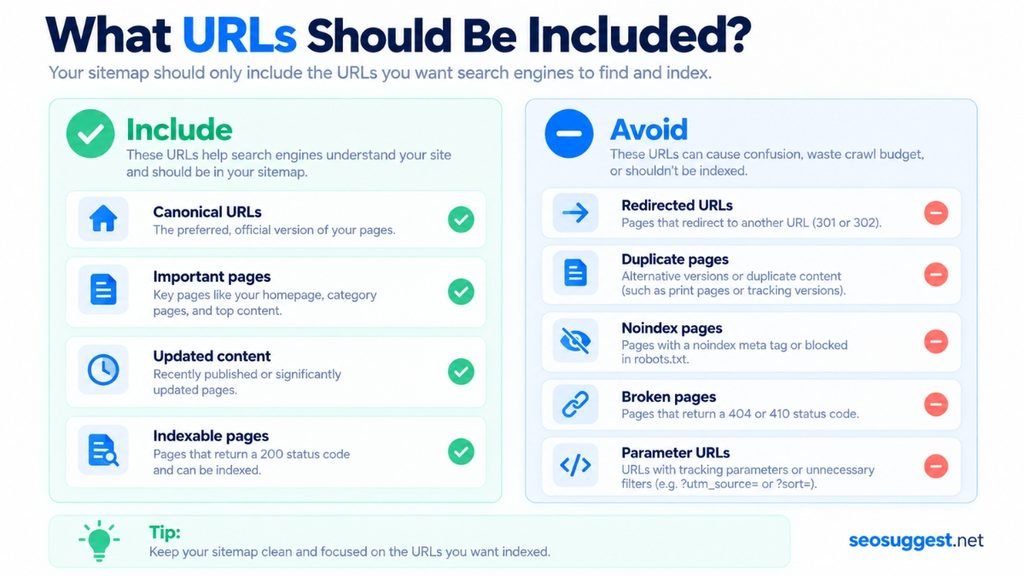
Avoid unnecessarily including:
- Broken pages
- Redirected URLs
- Duplicate URLs
noindexpages- Tracking parameter URLs
- Old pages that have permanently been removed
Google recommends including the URLs you want to see in search results and generally using canonical versions of those URLs.
Keeping the sitemap clean also makes it easier to diagnose technical SEO and indexing problems.
How Large Can a Sitemap Be?
A single sitemap can contain up to 50,000 URLs and have a maximum uncompressed file size of 50 MB.
If your website exceeds either limit, the sitemap must be divided into multiple files.
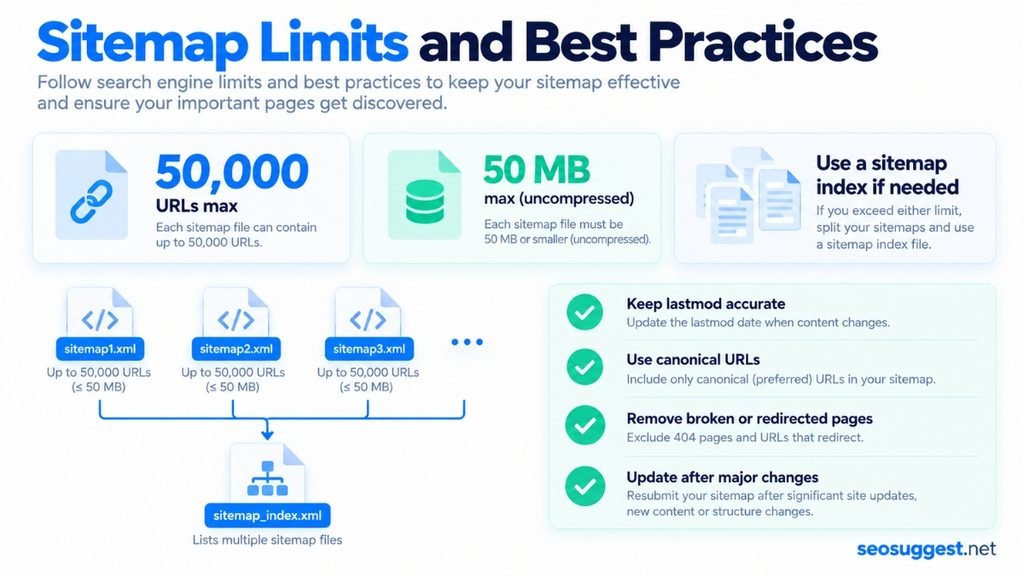
For example:
post-sitemap.xml
page-sitemap.xml
product-sitemap.xml
image-sitemap.xml
Those sitemap files can then be referenced through a sitemap index.
Google confirms the 50,000 URL and 50 MB limits in its official sitemap guidelines.
How to Submit a Sitemap to Google?
Once your XML sitemap is available publicly, you can submit it through Google Search Console.
Open your website property and go to:
Indexing → Sitemaps
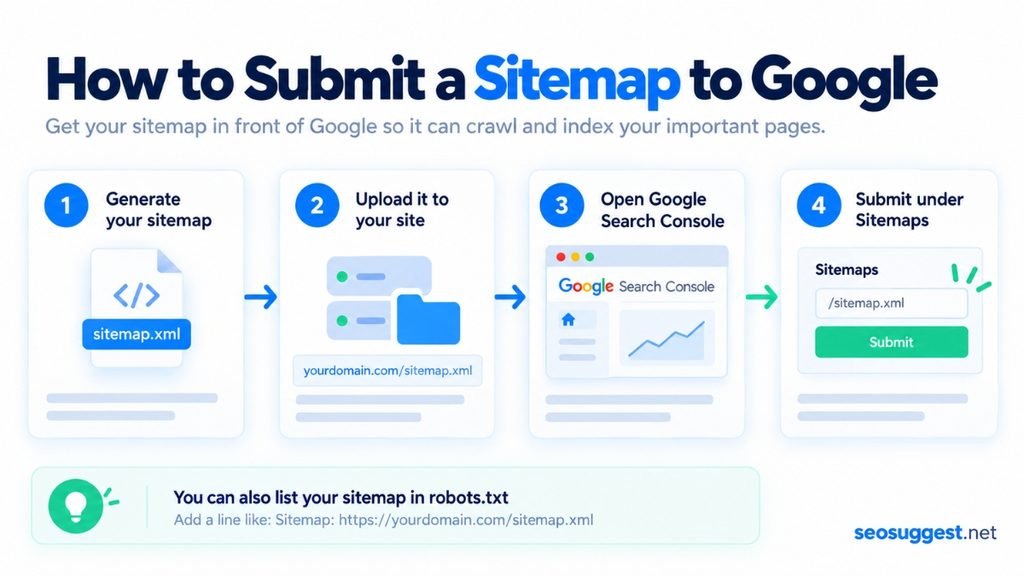
Then enter the sitemap address and submit it.
You can also reference the sitemap inside your robots.txt file:
Sitemap: https://example.com/sitemap.xml
Google supports sitemap declarations in robots.txt, providing another way for crawlers to locate the file.
Does a Sitemap Improve Google Rankings?
A sitemap is not a direct ranking boost.
Creating one will not suddenly move a page from position 40 to position 5.
Instead, its job is to help search engines discover URLs and crawl your website more effectively.
Good rankings still depend on factors such as useful content, search intent, internal linking, backlinks, technical accessibility, site structure, and overall page quality.
Think of the sitemap as helping search engines find the door. What they discover after entering still matters much more.
Do Small Websites Need a Sitemap?
Not always.
Google says a site with roughly 500 pages or fewer may not necessarily need a sitemap when every important page can already be discovered through internal links.
That does not mean small websites should avoid them.
Because sitemaps are relatively easy to create and maintain, having one is usually worthwhile, especially if you regularly publish new content.
Conclusion
A sitemap is essentially a structured roadmap showing search engines which pages and files on your website matter.
It helps search engines discover URLs more efficiently, especially on large, new, media-heavy, or frequently updated websites.
For the best results, keep your sitemap focused on canonical, indexable URLs and remove broken, redirected, duplicate, or unwanted pages.
If your website does not already generate one automatically, you can use the SEO Suggest XML Sitemap Generator to crawl your site and create the sitemap formats you need.
After generating the file, place it on your website, reference it in robots.txt, and submit it through Google Search Console.
A sitemap will not guarantee rankings, but it removes one unnecessary obstacle between your content and the search engines trying to discover it.